This guide helps you to create an API user for consuming E-Way Bill APIs.
To access E-Way billing through APIs, the taxpayer has to create API credentials on the E-Way Bill portal. The API credentials are to be passed in the E-Way Bill Authentication API to generate the 6-hour access token.
Prerequisites: You must have an active GST account and access to the E-Way Bill portal.
1
Log in to the E-Way Bill Portal
Log in to your account on the E-Way Bill portal using your GST credentials.
Login
2
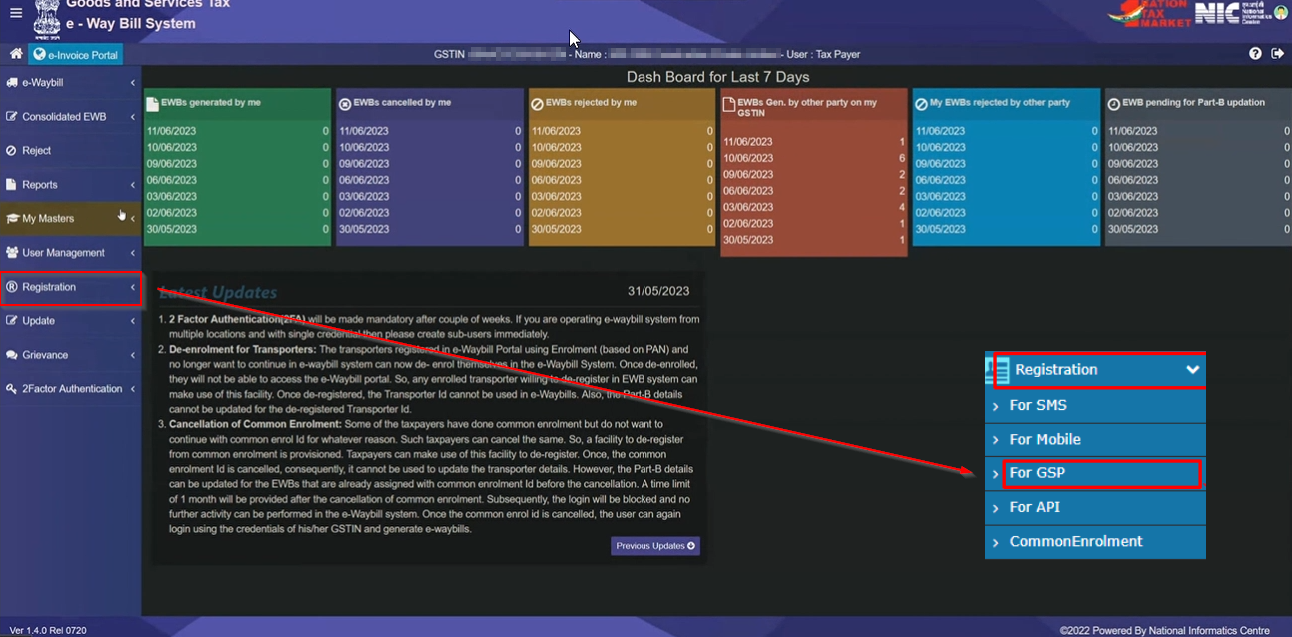
Navigate to API registration for GSP
Navigate to API registration for GSP. On clicking “For GSP”, you will be receiving an OTP, which needs to be entered to proceed further.
Navigate to API Registration for GSP
3
Add/New GSP and select provider
Once you enter the OTP, you can click on “Add/New GSP” and select the GST Provider. In this case, add “Quicko Infosoft Pvt. Ltd.”.
Add new GSP
4
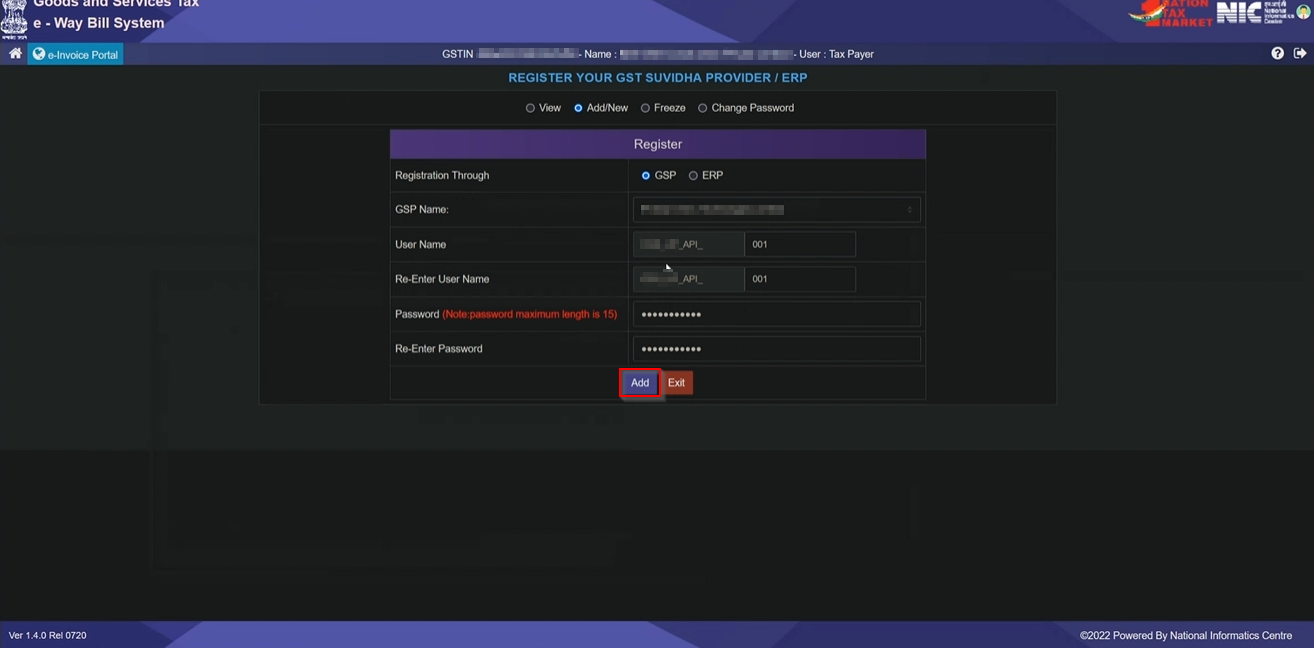
Enter username and password
Enter the username and password and then click on “Add”.
Click on Add
5
Verify registration
After clicking Add, you will be able to see the list of GSP registered. Use this Username and password in the E-Way Bill Authentication APIs.
Next Steps: Use the username and password you created in Step 4 in the Generate E-Way Bill Session recipe. This recipe will guide you through obtaining a 6-hour E-Way Bill access token using these credentials.